Field forms built for
real work outside
the office
Build forms, assign them to field workflows, and receive clean submissions from Android, iOS, and the web dashboard.
Replace scattered notes, messages, and paper forms
When field data comes back through paper sheets, chat messages, and phone calls without context, operations slow down. Hellotracks Forms connects field data collection to the same system your team already uses for live location, jobs, places, and dispatching.
Form Builder
Create forms without engineering work
Operations teams build the forms they need — no development required. Add sections, text fields, checkboxes, radio buttons, dropdowns, image fields, and required fields from the dashboard.
- Organize long forms with named sections
- Mark critical fields as required
- Conditional follow-up questions
- Preview mobile layout before publishing
- Reuse templates across teams and territories
Mobile App
Designed for field workers on Android and iOS
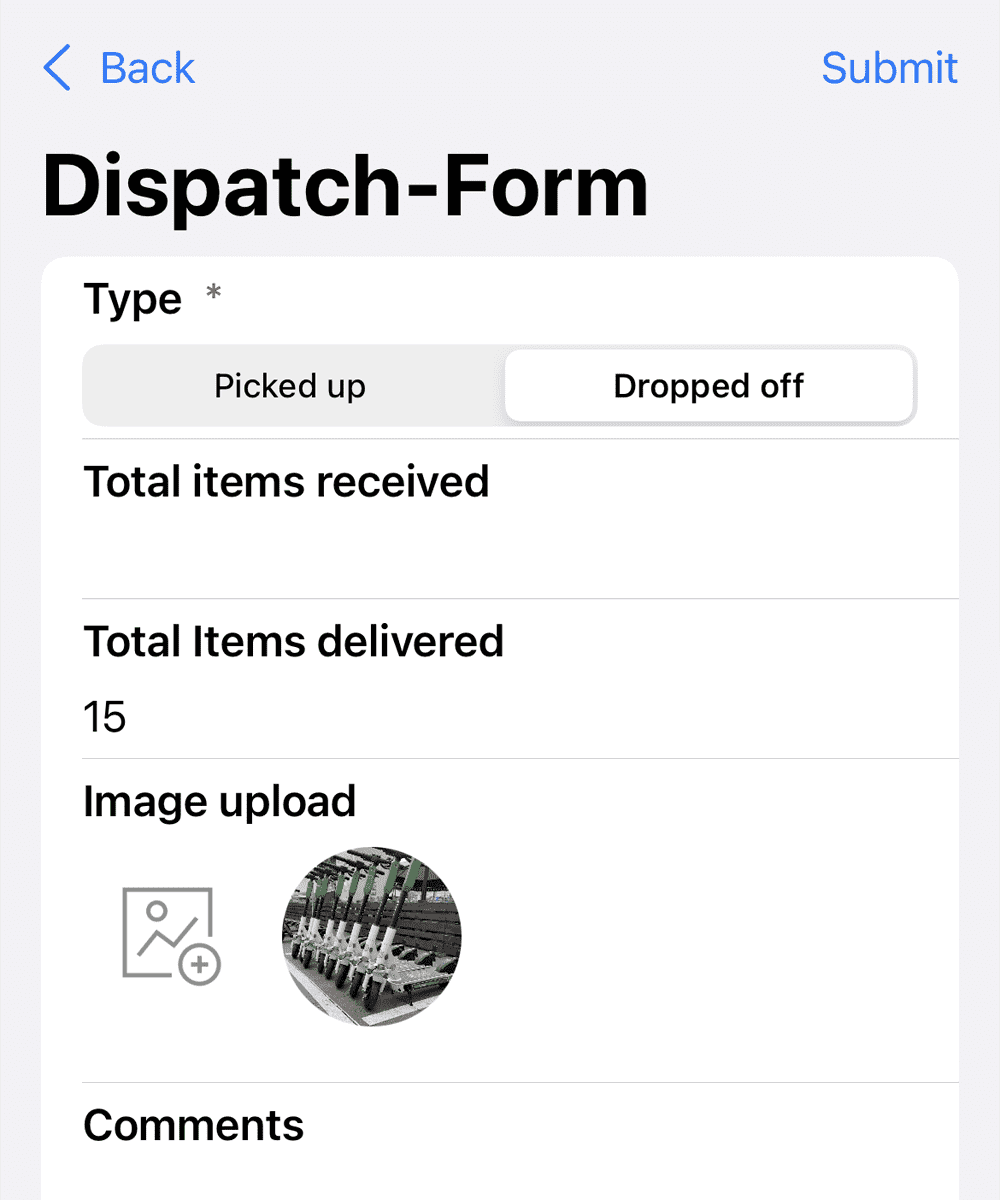
Workers open forms from a job, a place, or their assigned workflow. Fill required fields, attach photos from camera or gallery, and submit from the job site. No paper, no rekeying.
- Native Android and iOS experience
- Save drafts and return when interrupted
- Multiple photos per submission
- Required-field checks before submit
- Submission includes location coordinates
Job & Place Connection
Turn job completion into structured proof
Connect forms to jobs and customer places. Every submission carries operational context — who submitted it, when, which job or location it belongs to, and what was captured on site.
- Link submissions directly to job records
- Associate forms with customer places
- Standardize what "done" means per service type
- Before-and-after documentation built in
Submissions Dashboard
Every submission is organized and searchable
Browse recent submissions, filter by form template, see who submitted each form and when, open detailed response views, and review uploaded images — without leaving the web dashboard.
- Filter by form, date, or team member
- View full field-by-field response detail
- Preview uploaded photos in dashboard
- Track completion status per submission
Everything you need to collect field data
Purpose-built for field operations — not generic survey software.
Flexible field types
Text, paragraph, number, decimal, checkbox, radio button, dropdown, and image fields. Organize long forms into sections.
Required fields
Mark critical fields as required. Workers are prompted before submitting if anything important is missing.
Photo uploads
Image fields let workers upload from the camera or gallery. Multiple photos per submission for richer documentation.
Conditional questions
Show follow-up questions only when a specific answer is selected — keeping forms focused and relevant.
Job & place context
Forms carry job ID, place ID, submitter identity, timestamp, and location — so submissions land in context.
Draft saving
Workers can save a draft and return later. Submissions are held in the app until the worker is ready.
Forms for every field workflow
One system for every type of documentation your teams need.
No typing. Just speak
the report in.
Voiz Report is our sister product — a separate app built for one job: filling out daily reports, inspections and checklists with your voice. Hands-free on the road, on-site, anywhere. 3× faster than tapping a form on a phone.
Common questions
Start optimizing your field staff with Hellotracks
Create your free account in minutes. No credit card required.
